SNIPPETS · PRO
Your best replies, on repeat.
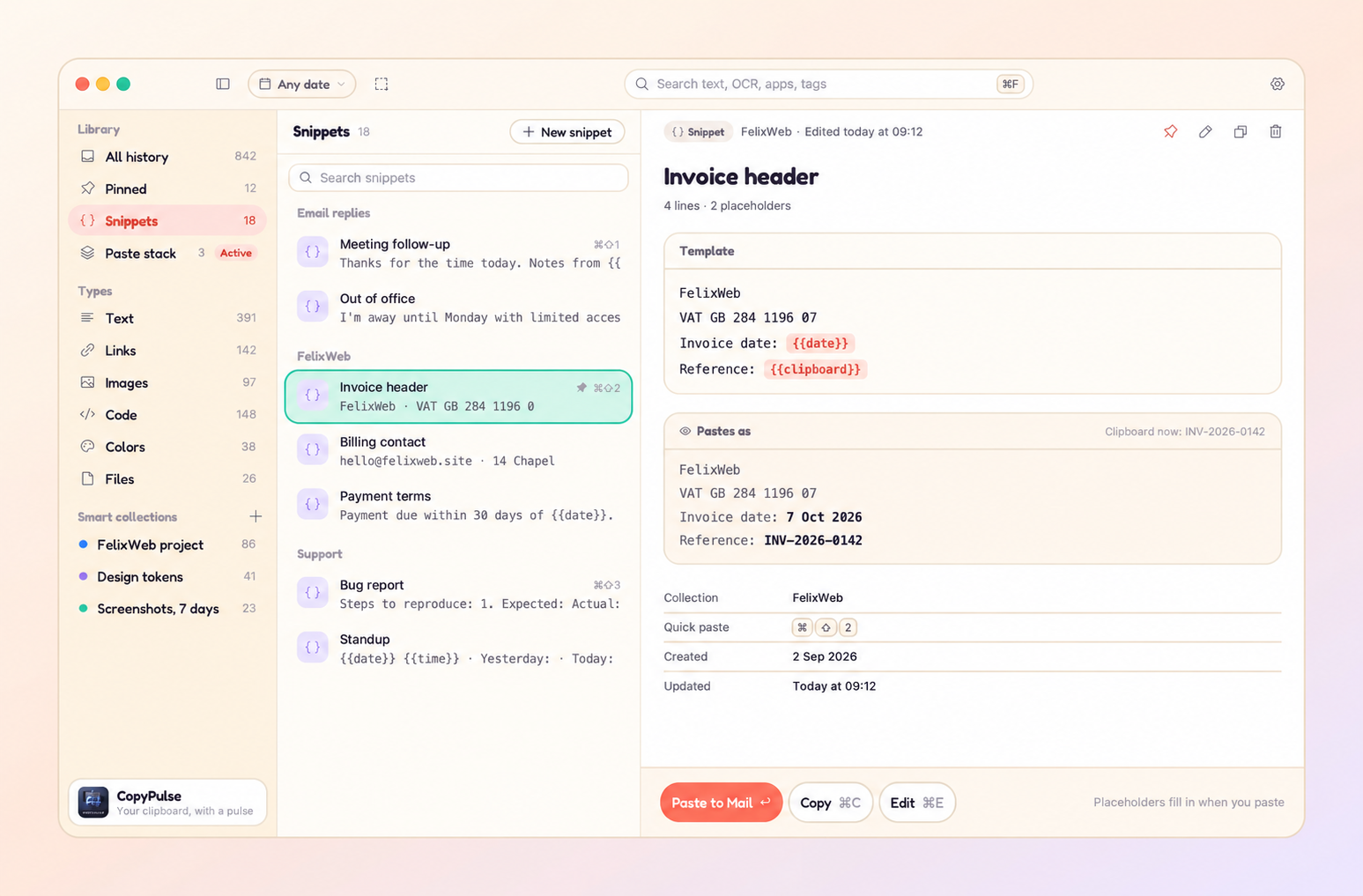
Save snippets for the things you type every day. Date, time and clipboard placeholders fill themselves in when you paste.
CopyPulse
Clipboard history for macOS
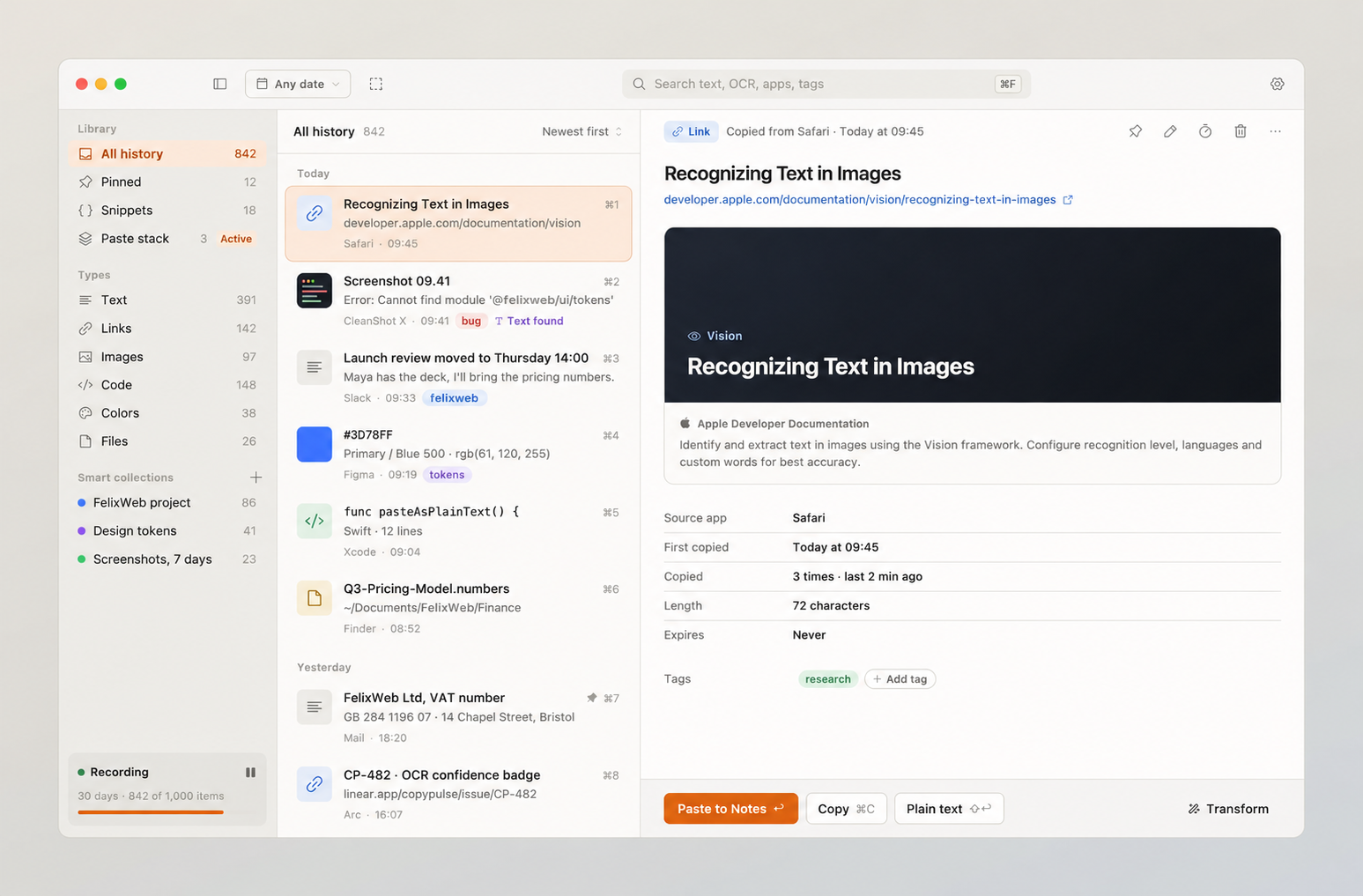
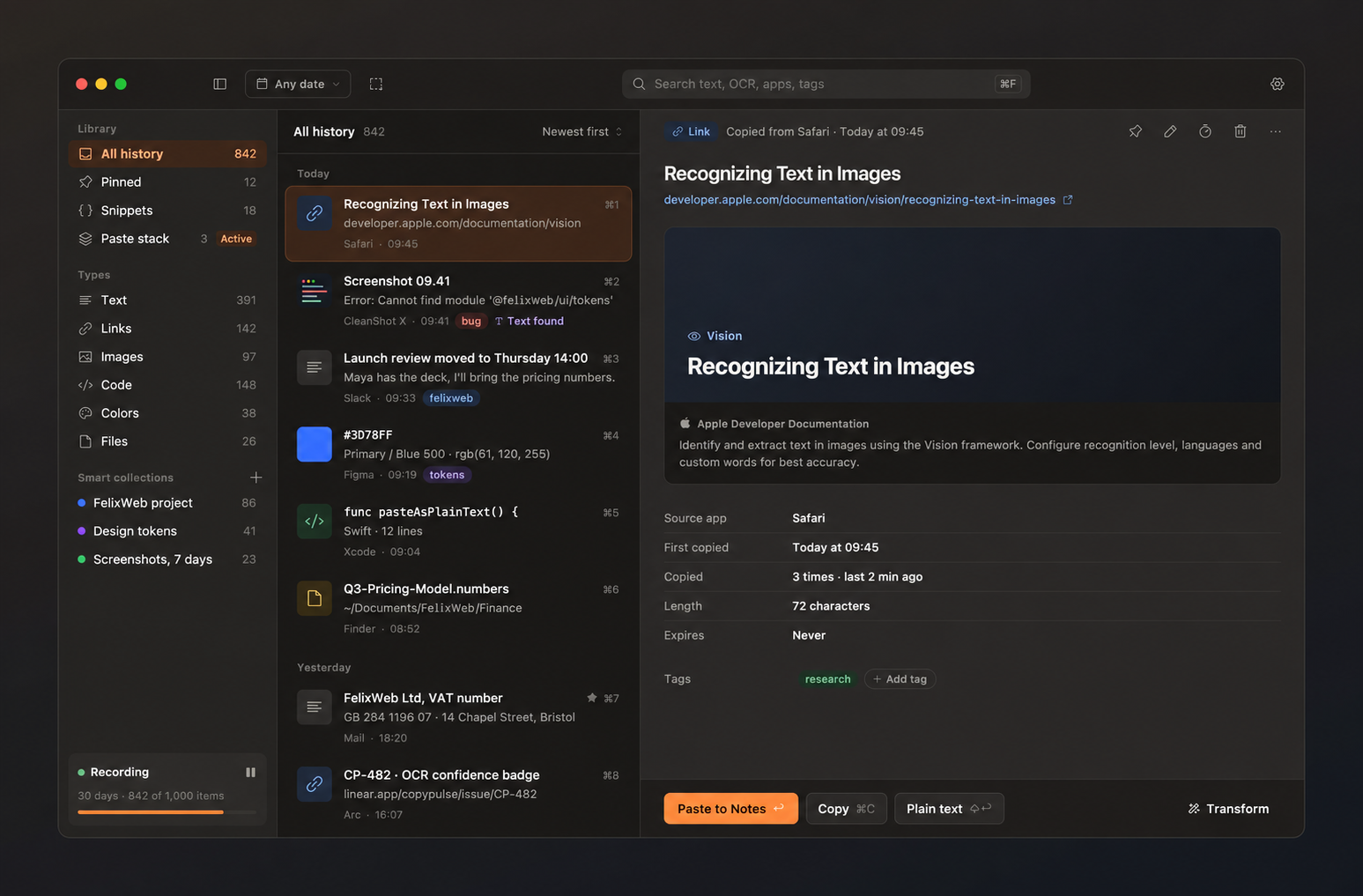
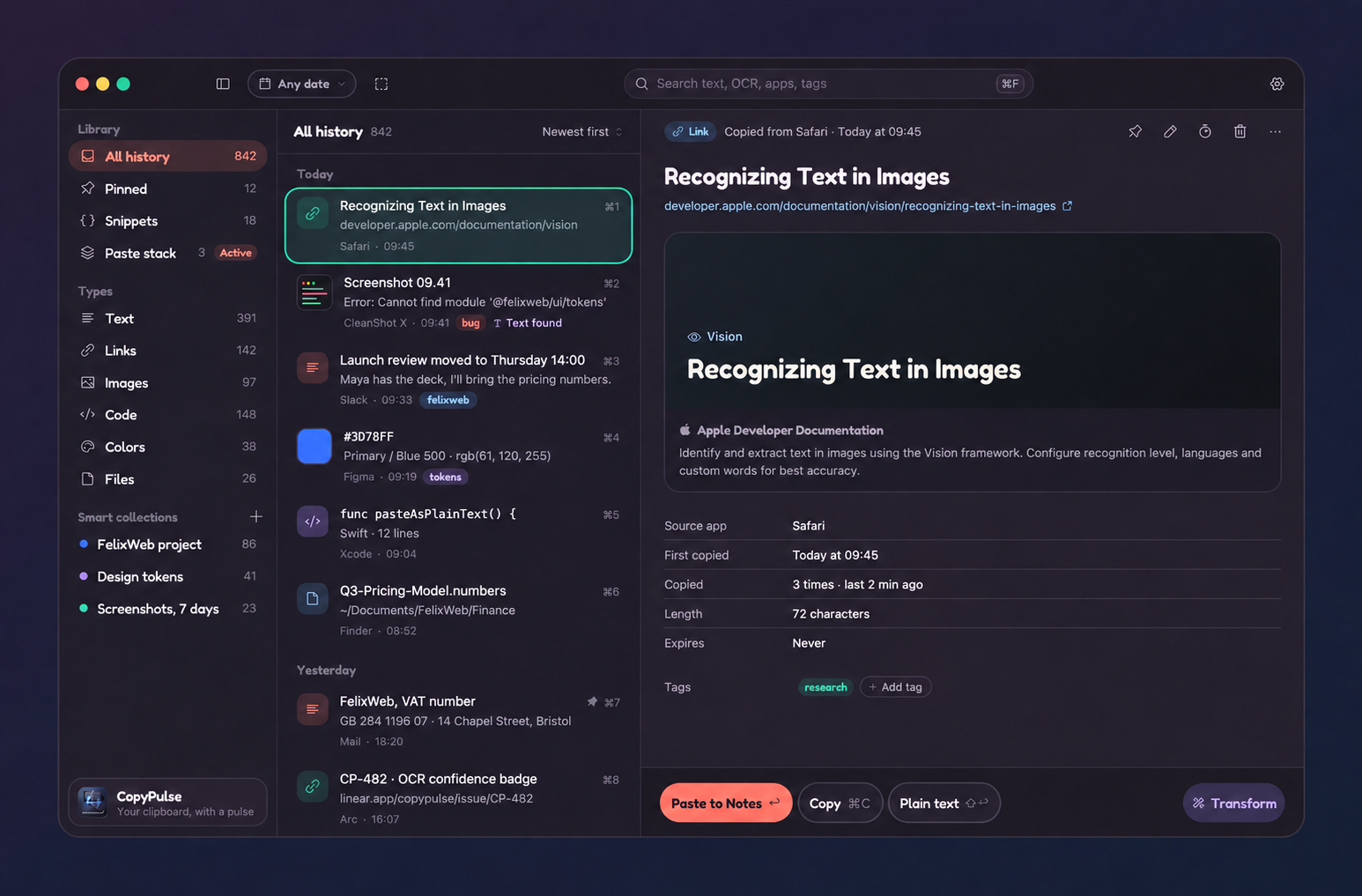
CopyPulse remembers the text, links, images and code you copy. Find the right clip, clean it up and paste it back. Even the words inside screenshots.
macOS 14.6+ · Free forever · 7-day Pro trial · No account
Your clipboard. Your kind of space.
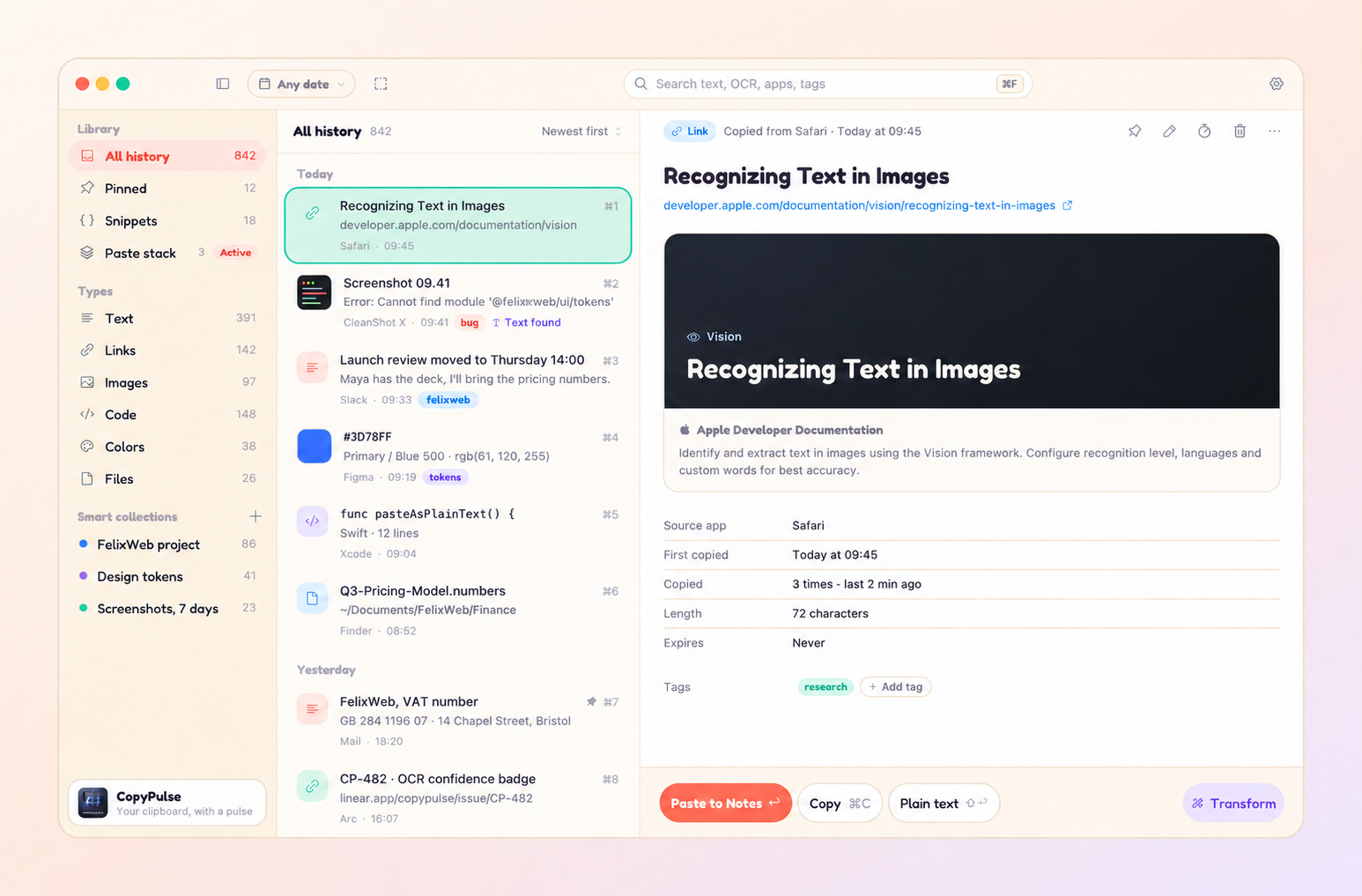
The link from this morning. That bit of code. The color you just copied. Search your clips without leaving the app you’re in, then hit Return to paste.
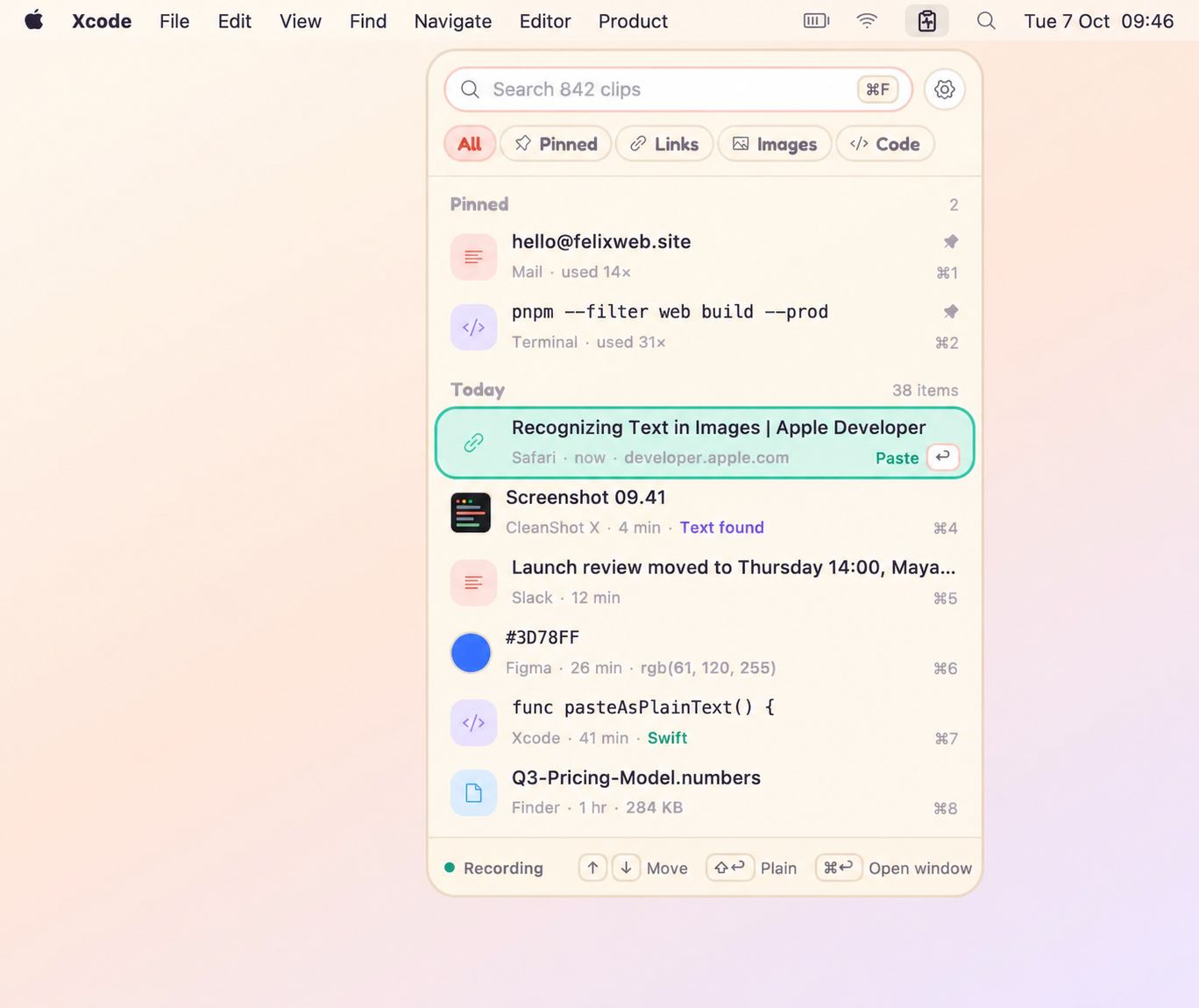
That error message you screenshotted? Search for it. CopyPulse recognizes text in images on your Mac, so you can find it, copy it and get back to work.
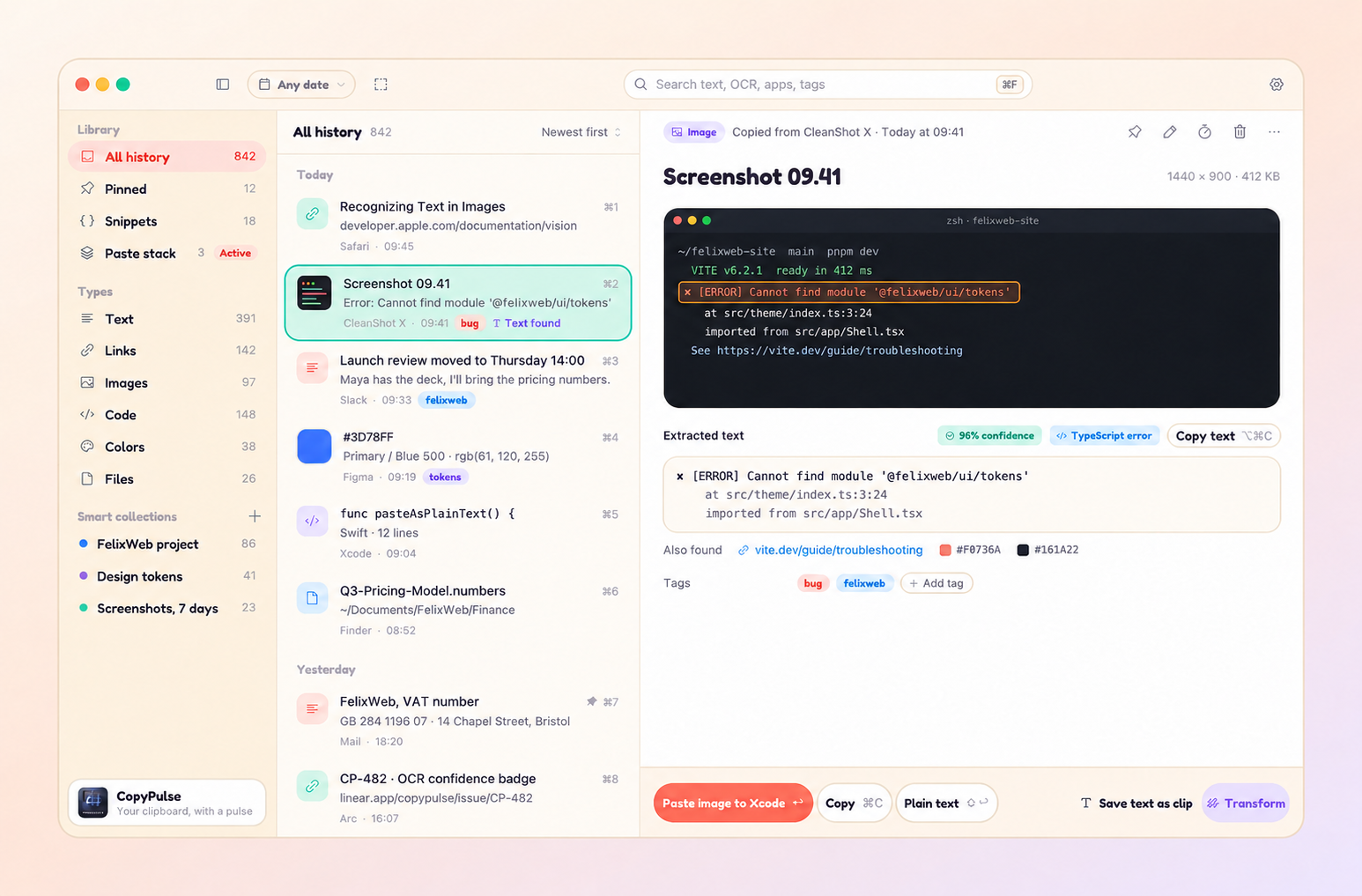
Format JSON, change case, trim whitespace or decode a URL. Suggested transforms and a live preview help you pick the right one. Undo is always a shortcut away.
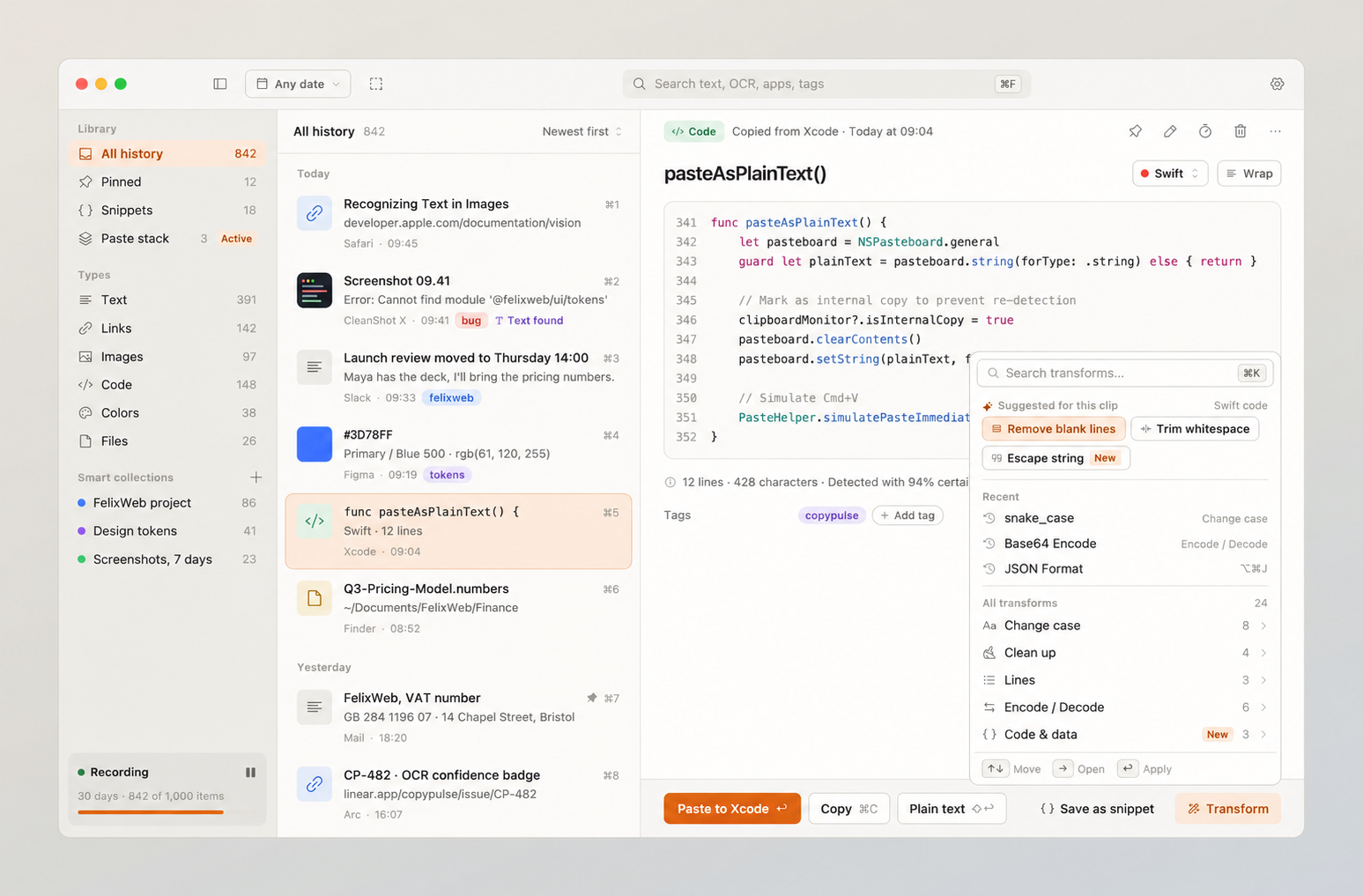
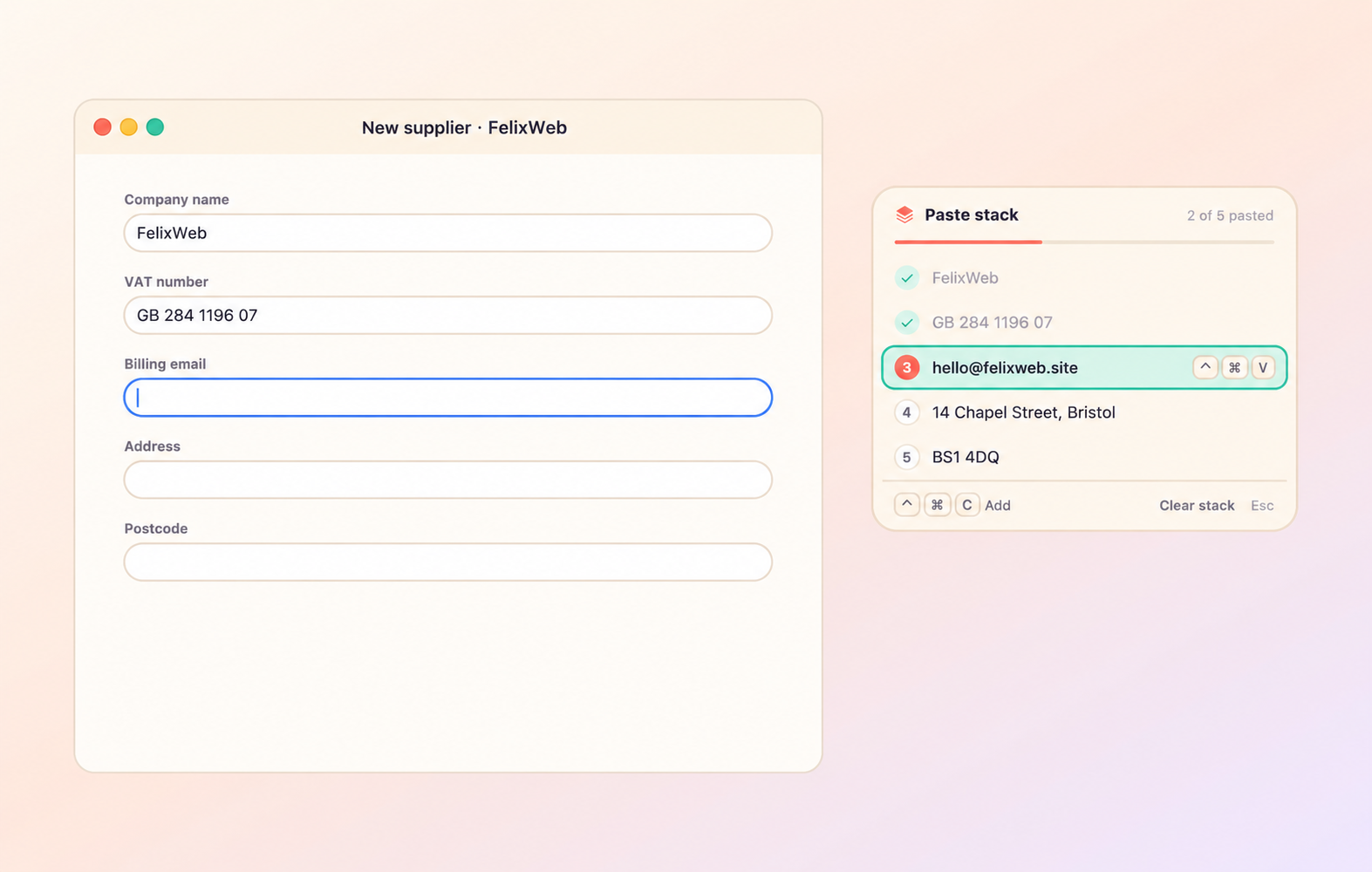
Collect the name, email and address first. Then move through your form and paste each item in sequence. The floating stack shows exactly what comes next.
Save snippets for the things you type every day. Date, time and clipboard placeholders fill themselves in when you paste.
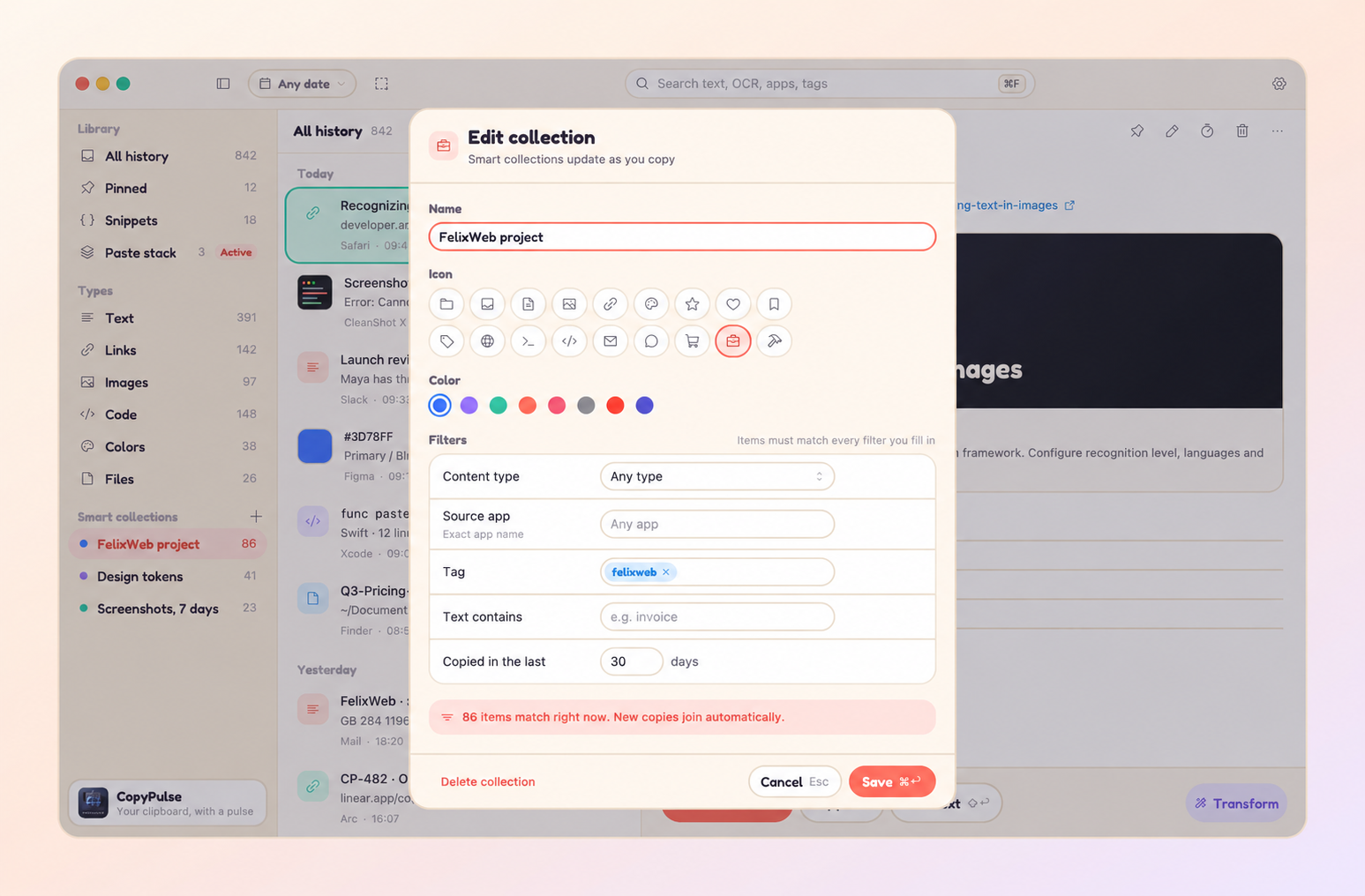
Group clips by app, type, tag or text. Smart collections fill themselves as you copy, while everything stays in your history.
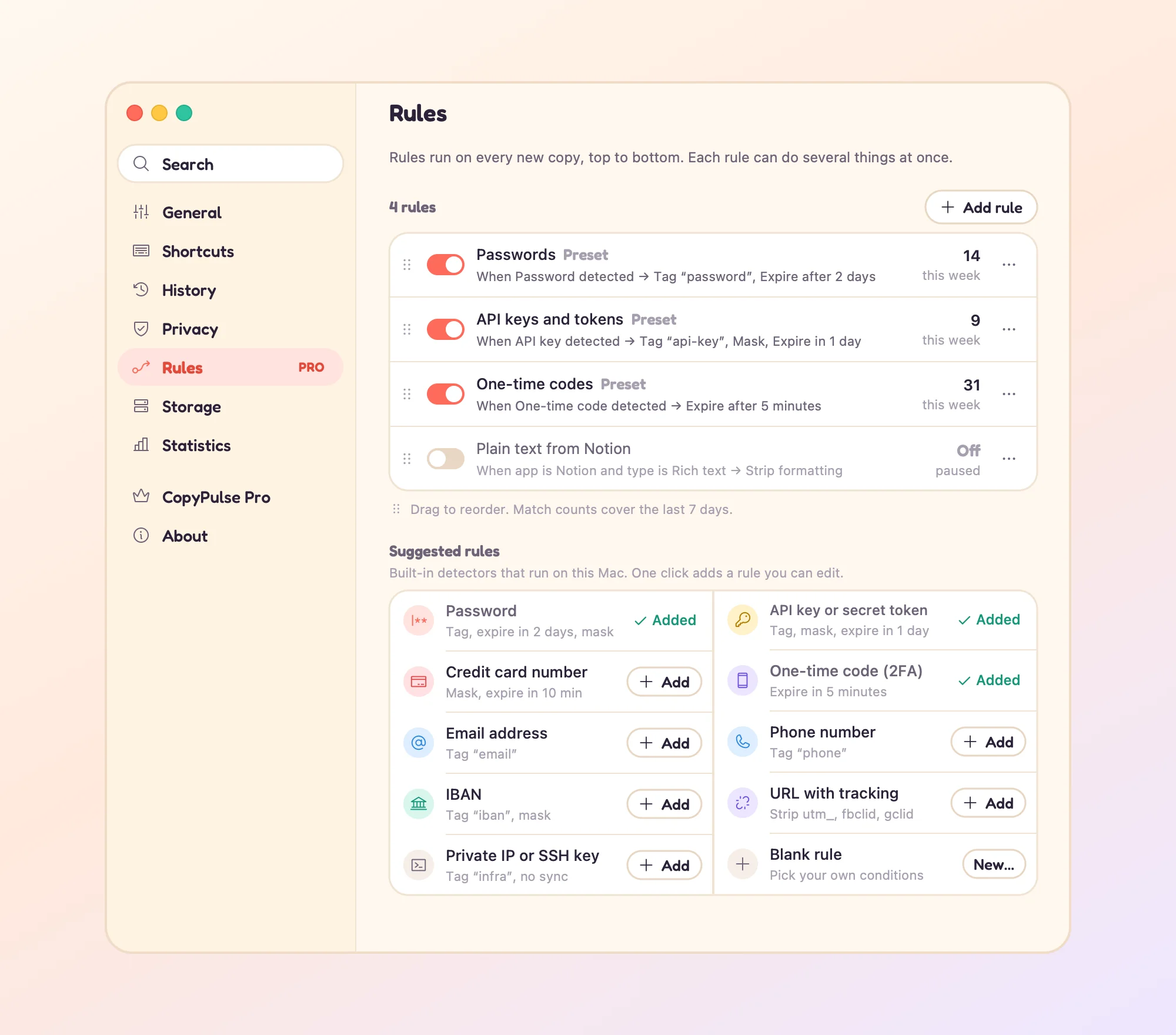
Your history, text recognition and content detection run on your Mac. Recognized secrets are masked in lists and previews, then expire after five minutes.
Built-in secret protection is included in Free. With Pro, add your own rules to skip sensitive clips, delete after pasting or clean up tracking links. You can pause recording whenever you need to.
CopyPulse connects for link previews, updates, license checks and anonymous usage analytics. See the privacy answers below. Read the CopyPulse privacy policy.
Start with Free, try Pro for 7 days with no account, and pay once when you’re ready. No subscription.
$0
A better clipboard for your everyday copies.
$9.99one-time
Regular price $14.99. Yours on up to 3 Macs.
Download & try Pro
7-day trial · No account required
Prices in USD include VAT where applicable. Sold through Lemon Squeezy, our merchant of record.
30-day refunds via Lemon Squeezy. This is in addition to your statutory rights.
A Mac running macOS 14.6 or later. CopyPulse lives in your menu bar and is available as a direct download.
Press ⌘⇧Space from any app, or click the menu bar icon. Search your history, pick a clip and press Return to paste. Shift-Return pastes as plain text.
The Free plan is free forever, with 100 history items and 7-day retention. Search, menu bar quick paste, all 24 transforms and built-in secret protection are included.
Pro is $9.99 at the introductory price, with a regular price of $14.99, paid once. It unlocks unlimited history items, retention up to Forever, OCR, paste stack, snippets, smart collections, rules and custom themes. Upgrade from CopyPulse Settings.
Yes. You get a 7-day Pro trial with no account required. You can keep using the Free plan afterward.
One Pro license covers up to 3 Macs. Deactivate a Mac in CopyPulse Settings to free its activation when moving to another Mac.
Pro purchases include 30-day refunds via Lemon Squeezy, in addition to your statutory rights.
macOS requires Accessibility permission so CopyPulse can press ⌘V after you choose a clip. It does not record what you type. Optional browser source information uses a separate Automation permission.
Built-in secret protection is included in Free. It masks recognized secrets, tokens, API keys, private keys and JWTs in the list and previews, then expires them after five minutes. Pro rules can also mask, expire or skip sensitive clips. You can pause recording whenever you need to.
Clipboard history, text recognition and content detection are processed on your Mac. CopyPulse makes network requests for link previews, update checks and license activation or validation, and sends anonymous usage events through TelemetryDeck.
Yes. Export history to a CopyPulse JSON file, including images, pins, tags and recognized text, and import it later or on another Mac. There is no automatic sync in the macOS app today.
Free includes Classic and Playful themes, light, dark or system appearance, and accent colors. Pro adds custom themes, with JSON import and export for their colors.
The next thing you copy could be the thing you need later.
Download free for MacmacOS 14.6+ · Free forever · 7-day Pro trial
Pro $9.99 introductory · $14.99 regular · Paid onceMade by FelixWeb. Here if you need a hand.